
VimTrick: Edit files remotely
Edit remote files via scp, ftp, rcp, and more, right inside of Vim.

We recently wrote about using netrw for file system exploration in Vim. Netrw is a versatile plugin that has been included standard with Vim since version 6.0 — you probably already have it! One of its many features allows editing files on remote servers via scp and several other protocols. You can open a file directly from the command line like so:
vim scp://foo.example.com//path/to/fileIf you’re in Vim already, read the file into a buffer with e, for edit:
:e scp://foo.example.com//path/to/fileOf course, you can also use :split, :vsplit, or :tabedit inside Vim to open in a horizontal split, vertical split, or tab, respectively.
When specifying the file path, use either a relative path, relative to your home directory on the remote machine, or use an absolutely path by prepending your path with a /, making a double // after your hostname.
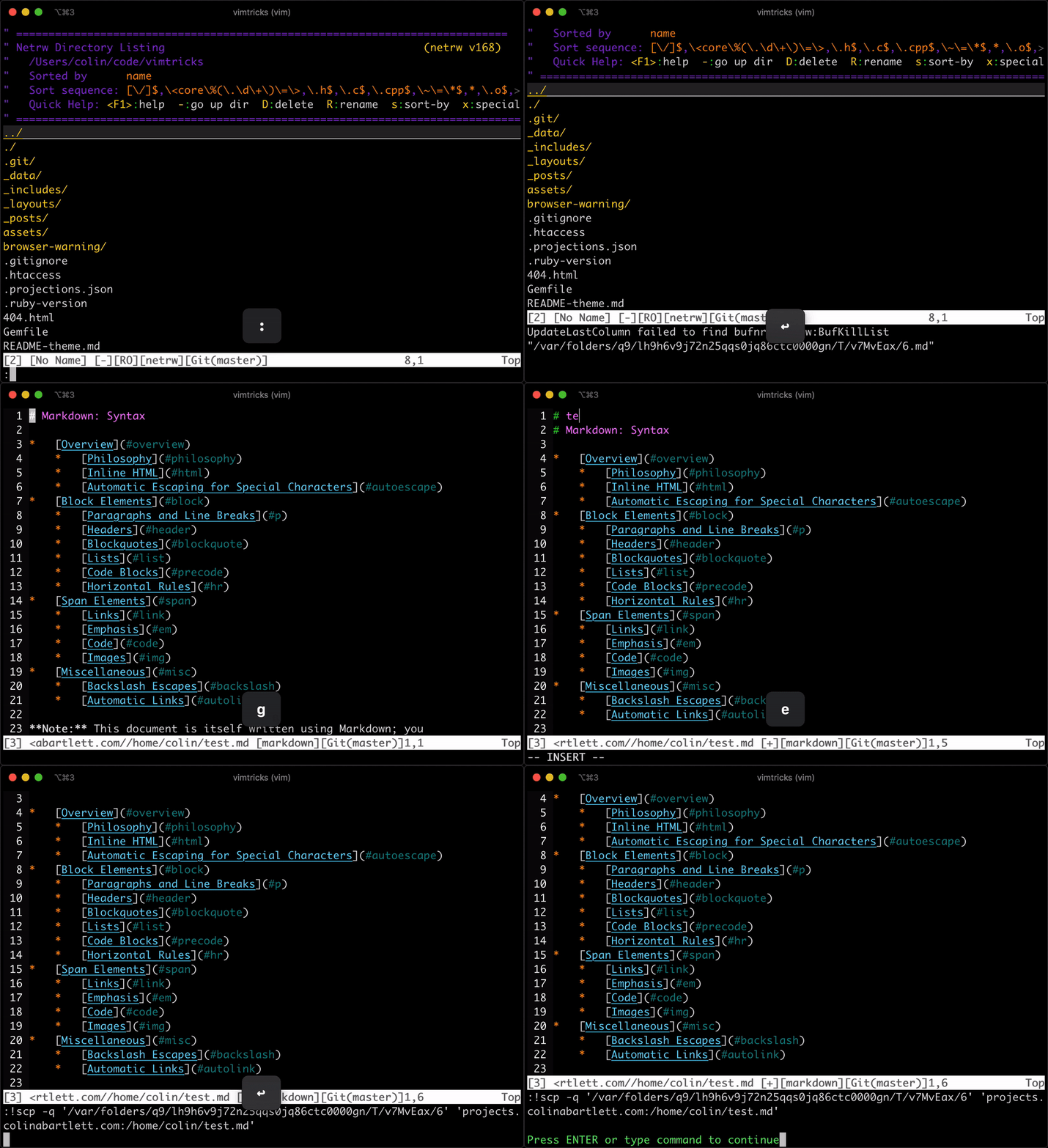
Opening a remote file like this will actually download the file to a temp directory. When you write your file with :w or :wq in Vim, the temp file is uploaded to the the remote host. That’s really all there is to it! Watch the gif for a demonstration:
Was this useful? Help us improve!
With your feedback, we can improve VimTricks. Click a link to vote: