
VimTrick: View your history from command mode
Easily run a Vim command again by viewing your history

When you enter command mode in Vim with : you can type commands such as s for substitution, e to open a file, or any of hundreds of commands from native Vim or plugins. From file opening to text manipulation, and more, Vim command mode is where power users get stuff done.
As you come to rely on commands more, you may find yourself constructing complex commands, then later wanting to rerun them. There is a simple way to see your history of commands from within command mode: ctrl-f. Immediately you’re plopped into a history of all the commands you’ve run in Vim. Use jk to move down and up the list and press Enter to execute a command again. Or to hop back out of the list, press ctrl-c. You could then press Esc or ctrl-c again to exit command mode entirely. Here’s a short screencast:
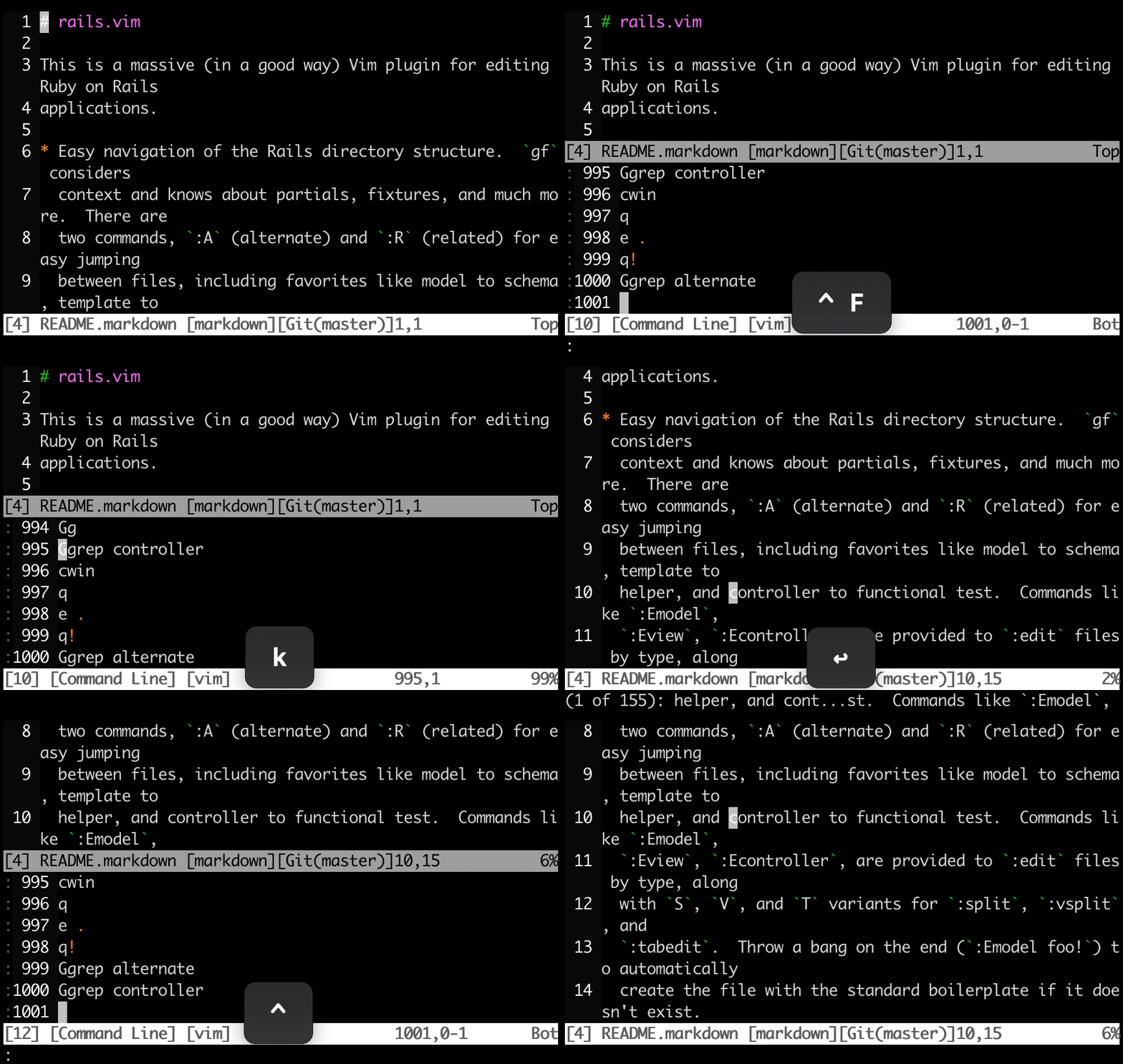
Here’s what’s happening in the screencast:
:to enter command modectrl-fto open the command historykto arrow up and select a previous commandEnterto run the command:to enter command mode againctrl-fto open the command historyctrl-cto close the command historyEscto exit command mode
Was this useful? Help us improve!
With your feedback, we can improve VimTricks. Click a link to vote:
You can also access command history directly by typing q:
Hope that helps!