
VimTricks: Command mode paste
Paste register contents into command mode with Ctrl-r

In past issues, we have covered using the clipboard register. The clipboard register syncs to the system clipboard and is accessible with the * character. To paste from your system clipboard in normal mode, you can can use “*p.
But what about if you’re in command mode? Let’s say you’ve copied some text from another program, maybe regular expression pattern. When you enter command mode with : you can’t use the usual method to paste from the clipboard register. Instead, use Ctrl-r and then press *.
<C-r>*- Paste into command mode from system clipboard
You can also use this insert mode. Plus, any of the registers will work including the numbered registers. In practice, I most often use the clipboard register to get data into and out of Vim.
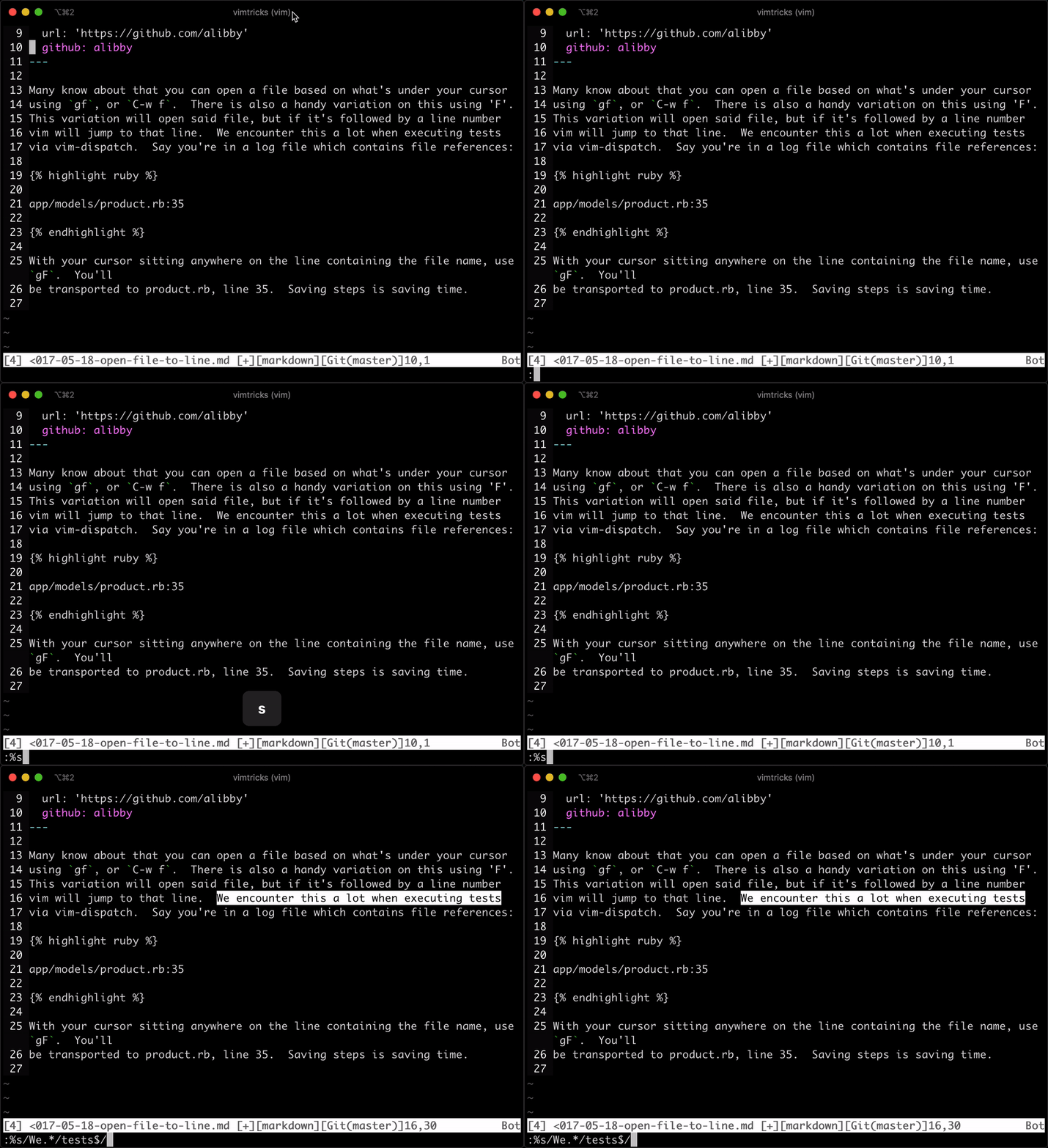
Here’s a quick screencast of this in action. First, I enter command mode to preform a substitution. Then I hold Control and press r then * and the pattern appears, pasted from my system clipboard:
Was this useful? Help us improve!
With your feedback, we can improve VimTricks. Click a link to vote:
This is a great tip IF vim has been compiled with the clipboard option.
You can check this by running 'vim --version' and looking for the clipboard entry
-clipboard = no clipboard support
+clipboard = clipboard support
Unfortunately, some linux distros (I'm talking about YOU AWS) don't have this turned on.
Another interesting thing I discovered is that you can test, for example, a function you have on the clipboard by doing this:
:@+ Enter
:call FunctionName()
And we can also substitute registers, for example:
Let's say you have a series of lies with numbers, you select these lines an copy to the clipboard, you can then do:
let @a=substitute(@+, 'c-V c-J', '+', 'g')
ic-R=c-R+ Enter
Total = 69.5
NOTE: c-V c-J must be typed